

iBackupBot for Windows 5.6
Great tool for managing and transferring files from your iOS device to your PC
Program info
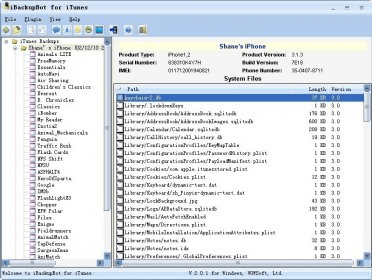
IBackupBot for Windows is a great tool for managing and transferring files from your iOS device to your PC. It's easy to use and allows you to access, modify, and transfer photos, contacts, messages, notes, call history, calendars, and more. It's also great for restoring backups from iTunes, so you can keep all your important data safe and secure. Highly recommended for anyone who needs to manage their iOS device data!
When you connect your iPhone or iPod touch to your computer, or right click iPhone or iPod Touch in iTunes and select Back Up, certain files and settings on your iPhone or iPod touch are automatically backed up to your computer. You can restore this information if you need to (if you get a new iPhone, for example, and want to transfer your previous settings to it).
The backed-up information includes text messages, notes, call history, contact favorites, sound settings, widget settings, and more.
In addition, photos in Camera Roll on your iPhone or in Saved Photos on your iPod touch are also backed up.
iBackupBot for iTunes give you the ability to browse, view, export and modify iTunes backup files. With built-in plist Editor, Hex Editor, Text Editor, database viewer, image viewer, SMS message viewer, notes viewer, address book viewer and media browser, you can view and edit any file that iTunes backed up from iPhone/iPod Touch to your computer. More
Details
Extensions

No information available
The data will be available later.Awards

There are no awards
Over time, app awards will appear here.


![Download Chrysanth Cheque Writer [Free] for Pakistan](https://img.informer.com/icons/png/16/7042/7042325.png)

Comments